Kleido MCP: Design and Print Business Cards From Claude and ChatGPT
Kleido now runs a remote Model Context Protocol (MCP) server at https://www.kleidoprint.com/mcp. Connect Claude, ChatGPT, Codex, Cursor, or Grok with your Kleido account to generate brand-matched cards from any website URL, supply your own HTML to print for zero credits, edit saved cards live, and pay via a Stripe Checkout link before anything prints.
What can you do with Kleido MCP?
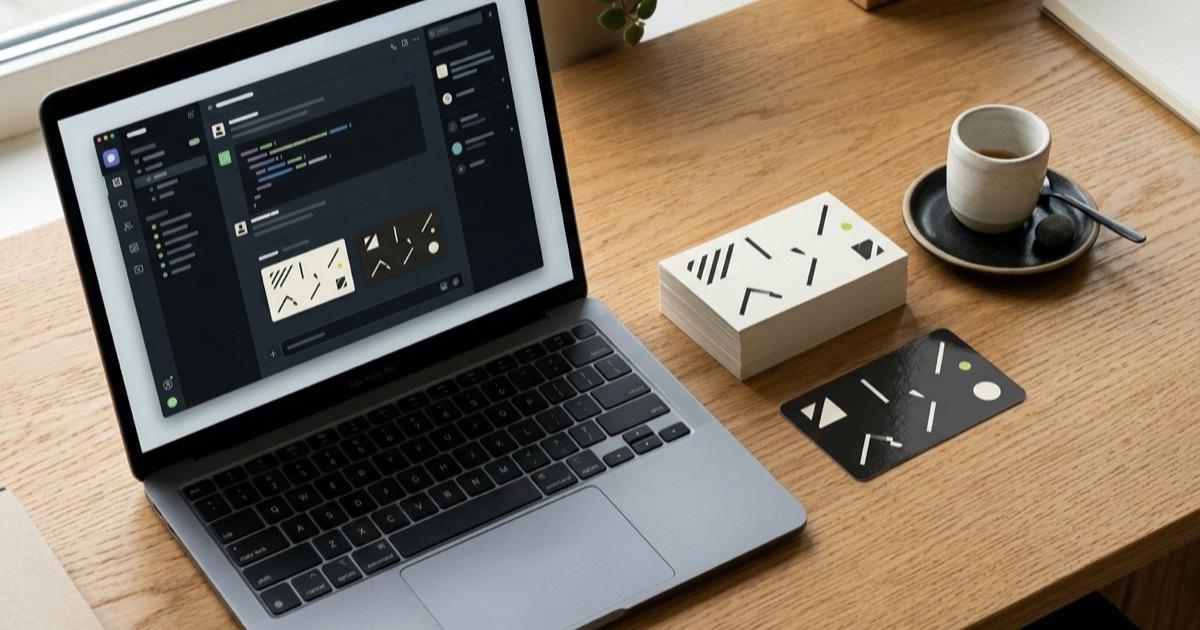
Kleido MCP lets AI assistants handle the entire path from brand extraction or custom HTML layout to physical business card delivery without leaving chat or your editor. You connect once with OAuth, review visual proofs on real card links, and approve payment yourself on Stripe.
- Design from a website URL (design_card_with_kleido): give your agent a public URL and get 1 to 4 editable, two-sided HTML variants matched to your logo, palette, and typography.
- Write your own print-ready HTML (get_print_specs + create_print_order): let Claude Code, Codex, Cursor, or ChatGPT build custom front and back HTML to Kleido’s exact print spec for zero design credits.
- Edit saved cards live (edit_card + revert_card): tweak copy, QR destinations, spacing, or CSS from chat while watching the card page update in real time—with automatic PNG renders back to the agent and one-click revert safety.
- Order prints and track delivery (create_print_order + get_order): pick 100, 250, or 500 cards in matte or gloss with squared or rounded corners, approve a Stripe Checkout link, and query shipping status in chat.
How do you connect Kleido MCP to Claude, ChatGPT, Codex, or Cursor?
Every supported AI client connects to the same remote URL at https://www.kleidoprint.com/mcp and signs into your Kleido account over OAuth 2.0. You can also copy client-specific setup commands and starter prompts from the Kleido MCP setup page.
| Client | How to connect | Sign-in step |
|---|---|---|
| Claude Code | claude mcp add --transport http kleido https://www.kleidoprint.com/mcp | Run /mcp in Claude Code to authorize |
| Codex | codex mcp add kleido --url https://www.kleidoprint.com/mcp | Complete OAuth when Codex opens your browser |
| Cursor | Click Add to Cursor on kleidoprint.com/agents | Sign in with Kleido when prompted |
| Claude app | Settings -> Connectors -> Add custom connector | Paste https://www.kleidoprint.com/mcp and sign in |
| ChatGPT | ChatGPT Plugins -> Add -> Add custom MCP server (OAuth) | Create as a plugin, connect Kleido, open under Personal -> Try in chat |
| Grok and other clients | Add a remote HTTP MCP server pointing to kleidoprint.com/mcp | Authorize via OAuth 2.0 when prompted |
# Claude Code
claude mcp add --transport http kleido https://www.kleidoprint.com/mcp

# Codex
codex mcp add kleido --url https://www.kleidoprint.com/mcp

# Generic MCP client config
{
  "mcpServers": {
    "kleido": {
      "type": "http",
      "url": "https://www.kleidoprint.com/mcp"
    }
  }
}
If you use ChatGPT, open ChatGPT Plugins, choose Add -> Add custom MCP server, name it Kleido, paste https://www.kleidoprint.com/mcp, and pick OAuth. No API key is needed because OAuth links MCP requests directly to the same Kleido account you use on the web.
Should Kleido's designer or your AI agent create the card?
Before starting a design, a connected agent checks your credit balance with get_print_specs and asks whether you want Kleido’s designer or agent-written HTML. Choose Kleido’s designer when you want a card pulled straight from an existing website; choose agent-written HTML when you want custom layout code at zero credit cost.
| Dimension | Kleido's designer (design_card_with_kleido) | Agent HTML (get_print_specs) |
|---|---|---|
| Design cost | 1 credit per variant (first design free at signup) | 0 credits |
| Best input | A public website URL + optional style notes | Brand specs, SVG logo, or codebase context in chat |
| Brand extraction | Reads logo, colors, fonts, tagline, and tone automatically | You supply colors, SVG marks, and copy in chat |
| Turnaround & previews | 1–2 minutes; returns /g/ and /c/ preview links | Immediate in chat; agent prints via front_html and back_html |
| Failed jobs | Failed or stalled jobs refund credits automatically | Validated by create_print_order before checkout |
Because design_card_with_kleido runs the exact same pipeline as Kleido’s AI business card generator, your agent never receives bloated base64 logo blobs over the context window. Instead, get_kleido_design returns the printed fields, designer notes, and preview URLs so you can inspect variants A–D in your browser and edit any text before ordering.
How does live card editing work with your AI?
Any card saved to your Kleido account—whether created on /generate or through MCP—can be refined directly by your connected AI assistant for free. Open any card page (/c/<cardId>) and click Edit with your AI to copy a starter prompt with the link, or ask an already-connected agent to look up your cards with list_cards.
- Token-efficient reads: get_card_for_editing replaces long embedded data: image URIs with lightweight kleido-asset:N tokens so the agent can edit typography, layout, and colors without wasting tokens on image bytes.
- Live browser updates: as soon as edit_card saves a change, the open /c/<cardId> page updates reactively and flips to the face your agent modified.
- Visual print self-check: every edit_card call renders both faces through Kleido’s print preview service and returns PNG images to the agent, letting the model spot overflow, clipped edges, or low contrast before replying.
- Non-destructive history and revert: your first agent edit snapshots the original template so revert_card (or Revert to original on the card page) restores the original design while keeping your updated text and QR link.
Concurrency checks also protect manual edits: get_card_for_editing passes a revision token, so if you edit a field in the browser while your agent is working, edit_card asks the agent to re-read before overwriting anything.
What happens at checkout, and how does Kleido verify print safety?
Kleido MCP never charges a payment method silently inside chat. When you confirm the design, quantity, finish, corners, and shipping address, create_print_order validates the artwork and returns a Stripe Checkout URL (checkoutUrl) that expires in 24 hours. Printing starts only after you open that link and complete payment.
To stop blank boxes and misaligned trims before money changes hands, create_print_order enforces the exact rules from get_print_specs:
- Exact canvas dimensions (160 px/in): 560x320 px for 2x3.5 in cards or 560x340 px for 2.125x3.5 in cards in landscape (swap width and height for portrait).
- Bleed and safe zone: the root element background fills a 1/16 in bleed on all sides, while text, logos, and QR codes stay at least 18 px from every edge.
- Offline deterministic assets: JavaScript and external network requests are disabled in the print renderer. Any <script>, <link>, @import, or remote http(s) image/font URL is rejected up front—use inline SVG or data: URIs under 900 KB combined, with Inter, Gelasio (Georgia), Liberation Sans, or Liberation Serif.
- Idempotent checkout protection: retrying the same order while its Stripe session is open reuses the existing link, already-paid orders within 24 hours return status instead of duplicating charges, and accounts are capped at 5 unpaid checkouts per hour.
Print runs come in 100, 250, or 500 cards with matte or gloss finish and squared or rounded corners at the same price. On the web, print packs cost 22 credits (~$34.99) for 100 cards, 34 credits (~$54.99) for 250, and 50 credits (~$79.99) for 500; over MCP, get_print_specs returns live Stripe cash pricing. US shipping is free, and international shipping is quoted live via Shippo across 30 supported countries. See pricing for full credit details, or read our business card size, bleed, and safe zone guide.
How is Kleido MCP different from image-upload print MCPs?
Several print services offer MCP connectors that either drop text into rigid vendor templates or ask you to upload a PNG or JPG generated by an image model. As we documented in our AI business card printer guide, flat AI-generated images routinely fail in print: text gets misspelled in pixels, aspect ratios crop off contact lines, and decorative QR patterns fail to scan.
Kleido MCP keeps the card as structured, semantic HTML from generation through fulfillment:
- Real text and vector QR codes: names, titles, phone numbers, and URLs stay editable fields, and QR codes are generated deterministically rather than drawn by an image model.
- Two creation modes in one server: pay 1 credit for Kleido’s website-to-brand designer when you want speed and brand fidelity, or spend 0 credits when your coding agent writes custom HTML directly.
- Renderer-in-the-loop editing: instead of guessing how CSS wraps at 3.5 x 2 inches, edit_card hands actual print-rendered PNGs back to the agent after every change.
What tools does the Kleido MCP server expose?
Kleido MCP exposes 10 focused tools covering print specifications, website-to-card generation, live card editing, Stripe checkout creation, and order tracking:
| Tool | Purpose | Cost / Side effect |
|---|---|---|
| get_print_specs | Returns HTML canvas spec, catalog prices, finishes, and credit balance | Read-only, free |
| design_card_with_kleido | Starts Kleido brand extraction & layout from a website URL (1–4 variants) | 1 credit per design (refunded on failure) |
| get_kleido_design | Polls a design job and returns preview links and printed details | Read-only, free |
| list_cards | Lists recent saved cards on your Kleido account with preview URLs | Read-only, free |
| get_card_for_editing | Reads card HTML (with kleido-asset tokens), fields, QR URL, and revision | Read-only, free |
| edit_card | Applies find-and-replace HTML, full face, field, or QR edits and returns PNG proofs | Free; updates card live |
| revert_card | Restores the card layout from before its first agent edit | Free; destructive to agent layout edits |
| create_print_order | Validates artwork & address and creates a Stripe Checkout link | Returns 24h checkoutUrl; no auto-charge |
| list_orders | Lists recent business card print orders on your account | Read-only, free |
| get_order | Returns status, shipping address, and tracking for one print order | Read-only, free |
Starter prompts to try after connecting
Once you authorize Kleido in Claude, ChatGPT, Codex, or Cursor, paste one of these prompts to test the full design-to-checkout or live-editing flow:
1. Website-to-card (uses 1 credit — first design is free):
"Have Kleido design a business card from acme.com for Ada Lovelace, CEO. Show me the designs, then order 100 matte cards."

2. Agent-written HTML (0 design credits):
"Design a warm two-sided card for Hearth Bakery in Portland yourself using Kleido's print spec, then get me a Kleido checkout link for 250 gloss cards."

3. Live card editing (free on any saved card):
"Read my latest Kleido card, increase the contrast on the back, update the QR link to https://example.com/book, and show me the updated card."

4. Order tracking:
"Where is my latest Kleido order? Show me the tracking link."